
We’re excited to introduce Advanced Search — a powerful new way to quickly locate, filter, and segment projects across your team. This feature is available for plans with team functionality (Pro, Premium, Business, and Enterprise) and for user roles with appropriate permissions (Manager, Admin, and Owner).
What Is Advanced Search?
Advanced Search allows you to combine multiple filters to narrow down projects and instantly find what you need. Whether you're managing large volumes of projects, reviewing reports, or collaborating across a team, Advanced Search helps you stay organized and efficient.
You can mix and match filters like:
- State
- Jurisdiction
- Created Date
- Created By
- Property Type (Residential or Commercial)
- Roof Type (Pitched or Flat)
- Project Includes (Manufacturer Requirements, Estimating Calculators)
Plus, you can layer on keyword search to pinpoint projects by address, claim number, creator name, or any relevant text.
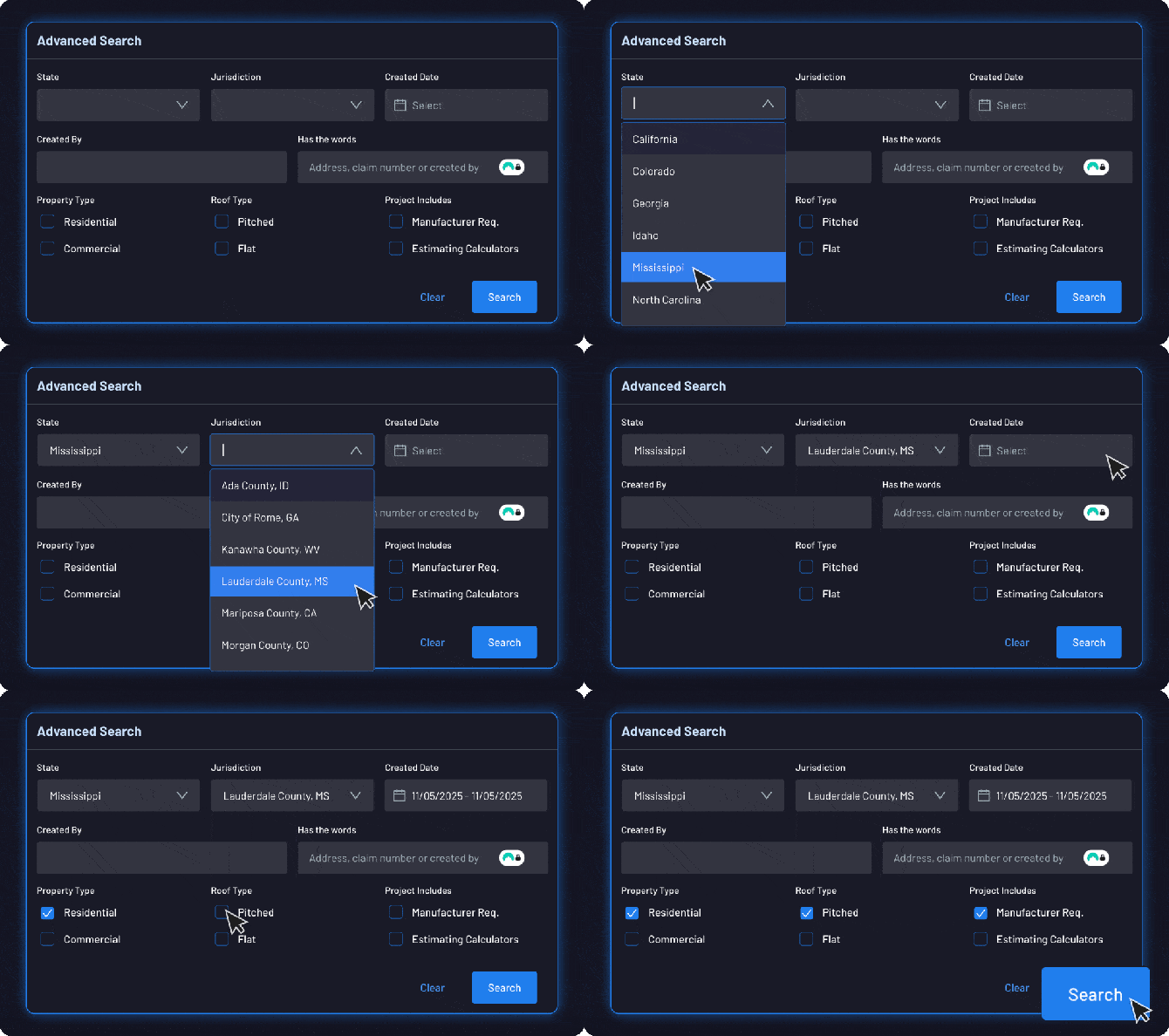
How to Use Advanced Search
1. Open the Advanced Search Panel
Go to your Project Dashboard, then click Advanced Search to expand filtering options.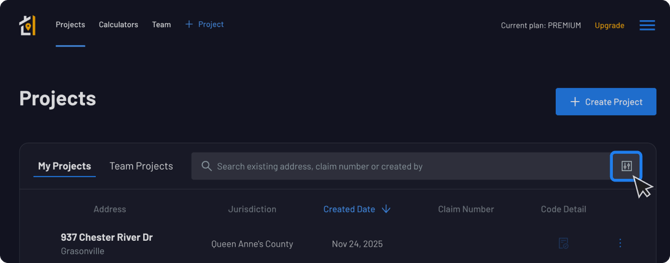
2. Apply Any Combination of Filters
Select one or more filters to refine your project list. For example:
- Find all Residential projects in Colorado.
- View projects created last week by members of your team.
- Filter by Jurisdiction and Roof Type to target specific report types.
- Identify projects that include Manufacturer Requirements or Estimating Calculators.
You can apply as many filters as you need — they stack together to produce highly targeted results.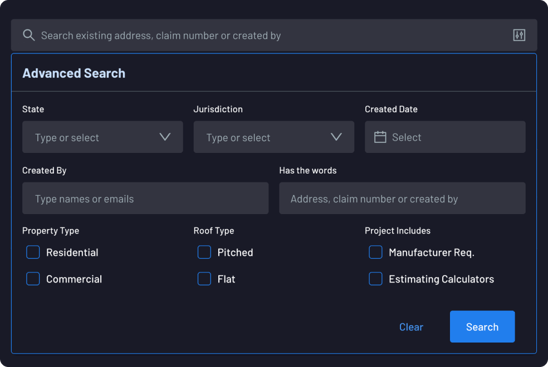
3. Use Keyword Search
In the Has the words field, enter:
- An address
- A claim number
- A user’s name
- Any text associated with the project
This search works alongside your selected filters for even more precise results.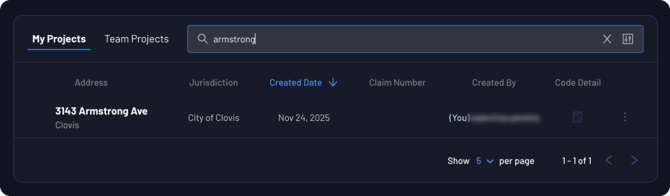
Why Use Advanced Search?
Advanced Search helps you:
✅ Locate Projects Faster
Stop scrolling endlessly through your dashboard — narrow your list instantly.
✅ Pull Up Key Project Segments
Quickly filter by characteristics like property type, jurisdiction, or creation date.
✅ Improve Team Efficiency
Managers and admins can easily audit team activity and keep workflows moving.
✅ Keep Everything Organized
With hundreds or thousands of projects, Advanced Search ensures nothing gets lost.
Who Has Access?
Advanced Search is available to:
- Pro, Premium, Business, and Enterprise plan subscribers
- Users with these roles:
- Manager
- Admin
- Owner
If you don’t see the feature, contact your account admin to check your role or plan.
Contact Support
If you have questions about Advanced Search or need assistance with your team setup, reach out to our support team at code@oneclickcode.com or on our Contact Us form anytime.
Stay organized, work smarter, and find what you need faster with Advanced Search!